The client’s company receives and starts processing microloan application requests from the website in a semi-automated way. However, applications are not always completed correctly or filled in fully. Such requests need to be collected, organized, and called by agents to gather the missing information. That is why the client came with a task: incomplete (invalid) applications from their portal should come to us in the dialer for additional processing by an agent. It is important to preserve extra application data in the dialer, such as full name, date and application number, address, and so on.)
He should do this work in one window, filling in our questionnaire and the forms on the corporate resource through an additional tab.
Key Requirements
- Adding tasks via API
- Parallel work of agents across several customer projects
- Even distribution of calls among agents
- Assigning a manager to the lead in case a callback is needed
- Ability to send SMS and email to the client
- Integration with their internal resource
- CRM for entering and storing customer data and a script for the agent’s work
- by costs
- by agent performance statistics
- by successful requests in CRM
- by task processing performance in the dialer
- Reporting:
- Support from a personal integration engineer;
Input Data
Contact center and 50+ remote agents; task uploads by project (more than 30); SMSc.ru as the SMS gateway; the customer’s CRM for handling requests; the customer’s reference and information portal; in-house telephony with SIP registration;
Solution
- We started setting up invalid request processing by connecting SIP telephony. Standard registration with the following data: login, password, ip address. Registration was successful, we specified the allowed rates and routes, and left the default routing in place, since the same telephony will be used everywhere (although we recommended adding at least one more, but for now this is how it is)
- We changed the queue name and left the settings at default values (created when the company was created).
- We created two dialers:
- Main — tasks with incomplete requests from the portal are sent here via API . It works in predictive mode. Later, the same dialer will be connected for completed requests for verification.
- Callback – created to process clients who requested a call back. Agent-to-lead assignment has been enabled.
- We moved on to configuring the agent script in CRM. The script has several branches that the conversation will follow depending on the client’s answers. Also, some script answers are linked to SMS and email sends with additional information about the service.
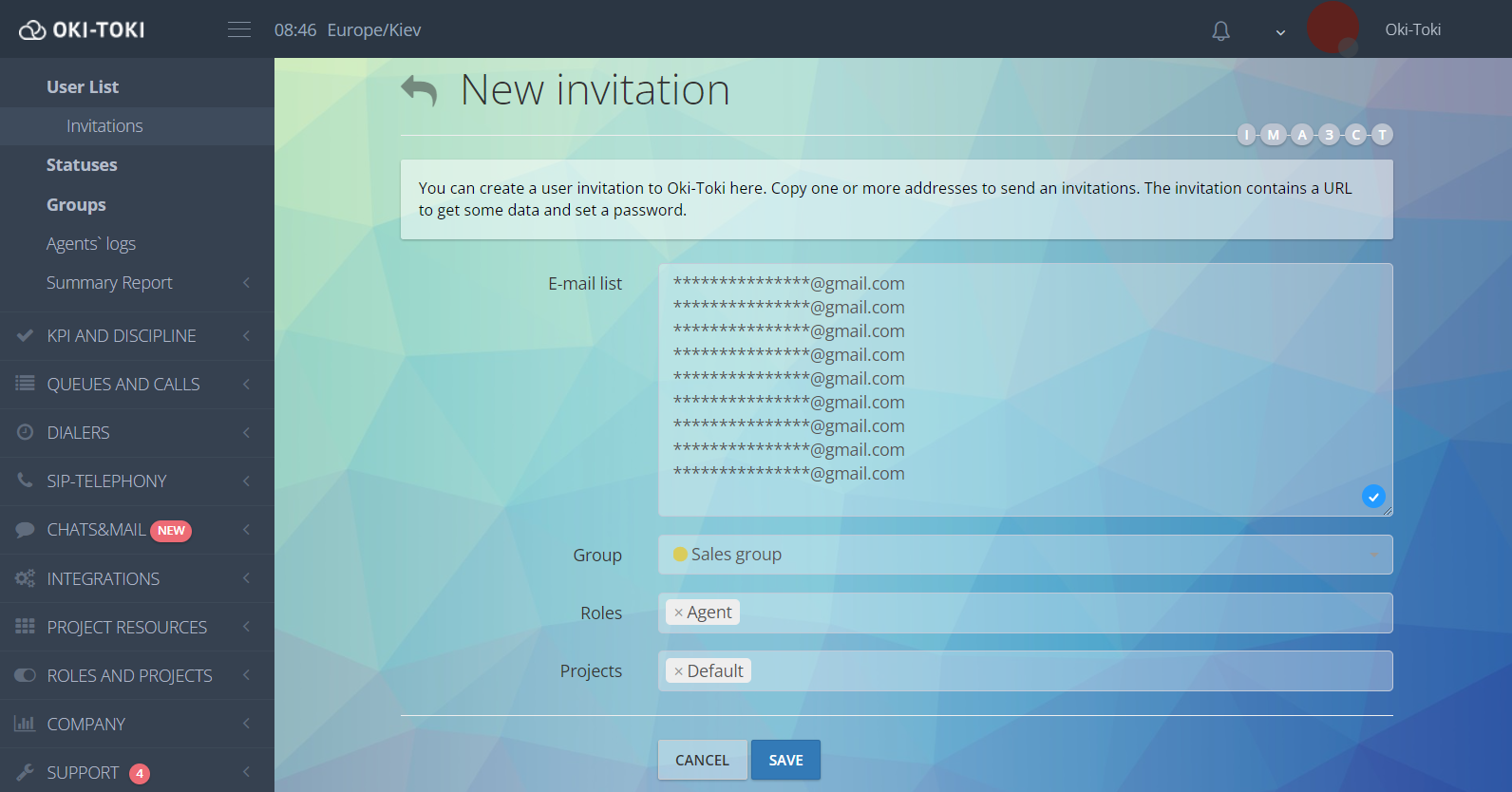
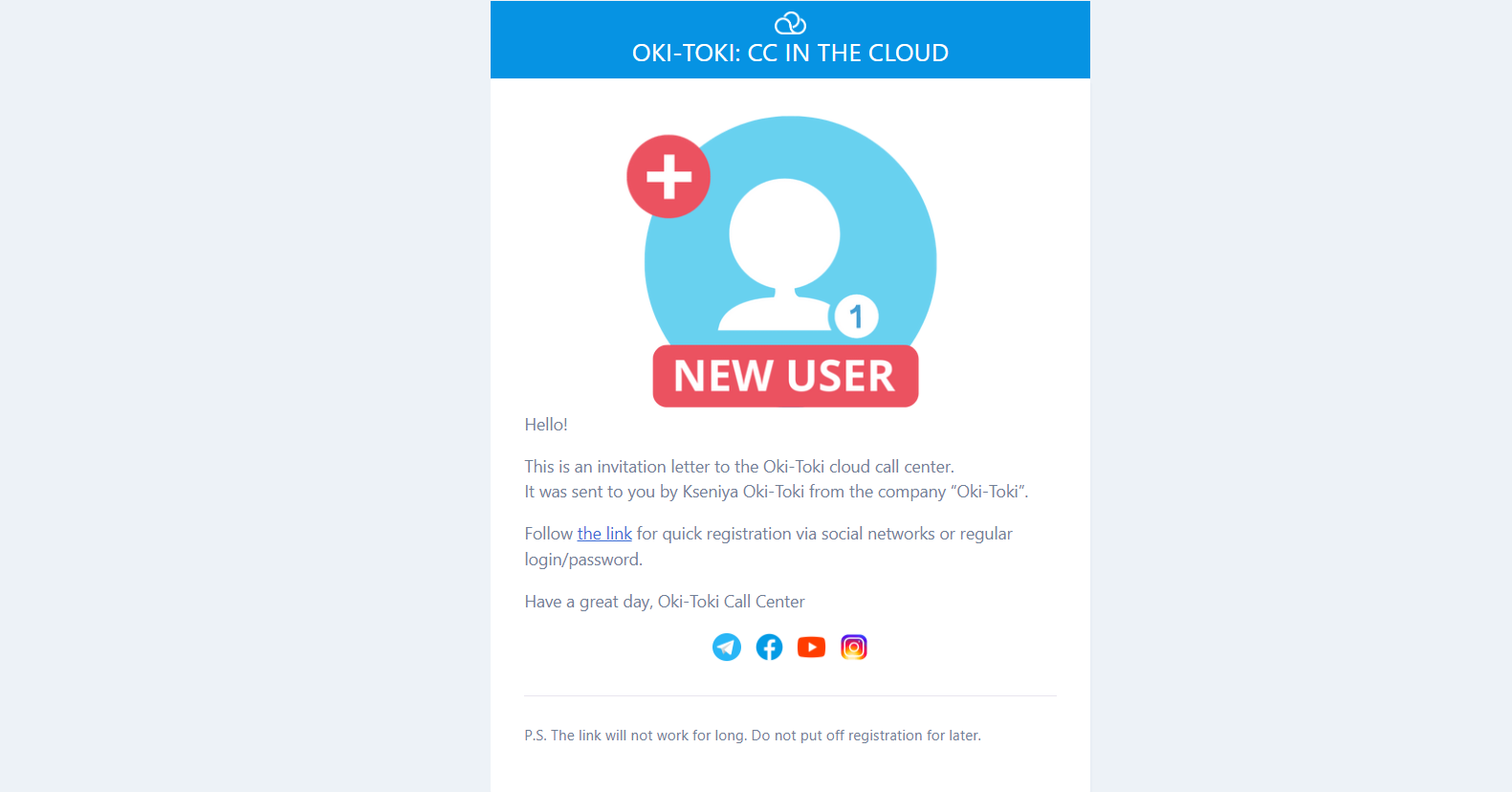
- During import of agent data, users were sent invitations to register in Oki-Toki. They only had to follow the link in the email and enter the registration details (name, new password, and confirm their email)
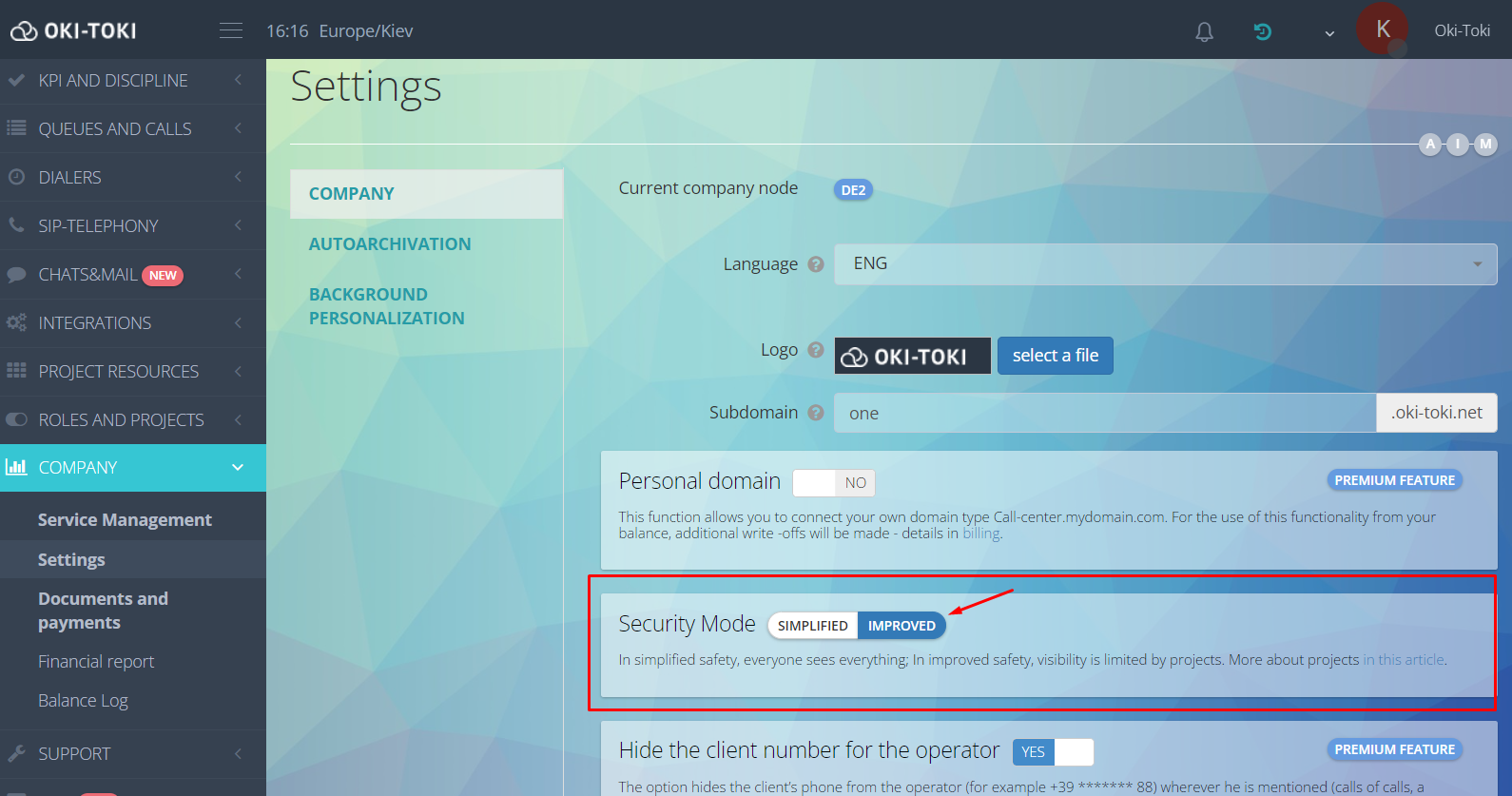
- At the end of project preparation, we changed the system security type from simplified to enhanced. This security mode will allow projects with their own privacy to be separated (read more about projects in this article).
-
-
- After completing the project setup, I demonstrated with a screen recording the main features of the agent workspace that agents use as a guide.
-
- Cost report
- Agent performance statistics report
- Call log
- Summary report on completed tasks
- As the main reports, we selected the following reports with filter sets:
Problems
- The only issue we faced during setup was integration with third-party resources inside the CRM questionnaire. This was a technical solution we could not provide them at the testing stage.
- We postponed connecting the SMS gateway for later, but for reasons depending on the company itself.
Ideas
- It was decided to develop an integration inside the questionnaire with the customer’s resources using the iFrame web element. We promised to give them access to the new questionnaire with a working iFrame within the next 2 weeks.
What the Client Got
- Reports and summaries (automatic and manual) that provide comprehensive information on key metrics.
- A full integration without third-party services. Using both their and our own efforts, which reduces manual and unnecessary actions by managers and agents to a minimum.
- An automated scheme that processes invalid requests from portal clients, reducing the share of lost applications.
- A strict assignment of the responsible person to the client in case the conversation is transferred, which increases agent motivation to bring requests to completion.
Questions and Answers:
- Q: Is it possible to set up backup telephony that would catch and process an invalid request if the primary one fails?
- A: Yes, for each SIP provider, the routes and the call costs for them are specified separately. Prices can be set either conditionally (only to prioritize one telephony over another) or literally (to calculate telephony costs using the cost report in Oki-Toki)
- Q: How many projects can run at the same time?
- A: There is probably some maximum, but it is practically unreachable. The main condition for the normal simultaneous operation of many projects is having enough phone lines and agents.
- Q: What is the subscription fee? What does it include?
- A: The subscription fee includes: the ability to make outbound calls; basic internal storage for audio recordings (10GB); CRM; data retention in reports; access to the admin interface, and more.
At first glance, the project seems quite complex: many components, many tasks, many settings, and even API and reports need to be figured out. But in fact, only when setting up the first project do you spend time and effort understanding everything. And when the need arises to connect the second, third, and tenth projects, far less time will be spent on them, since almost everything is copied in two clicks, templates for all reports can be saved and used in two clicks, and the settings are already in place. Wishing success to your business!
Stas Luchkin
-