

Oki-Toki is a service for contact centers that has always been passionate about updates and the development of automated PBX products for calls. A few years ago, we started the good tradition of summarizing the work for the year. As it turns out, this work can be useful not only for our clients, but also for us – it is only by collecting all the achievements together that we have the opportunity to give ourselves a final annual assessment 🙂
Work done by technical support and developers
- The Oki-Toki team this year has handled 3474 requests in the ticketing system.
- Based on your requests, 375 corrections and improvements were made.
- In total for 2022, developers completed 1903 tasks to update and improve the system.
Major innovations
Launching a new call-back is even easier and faster!
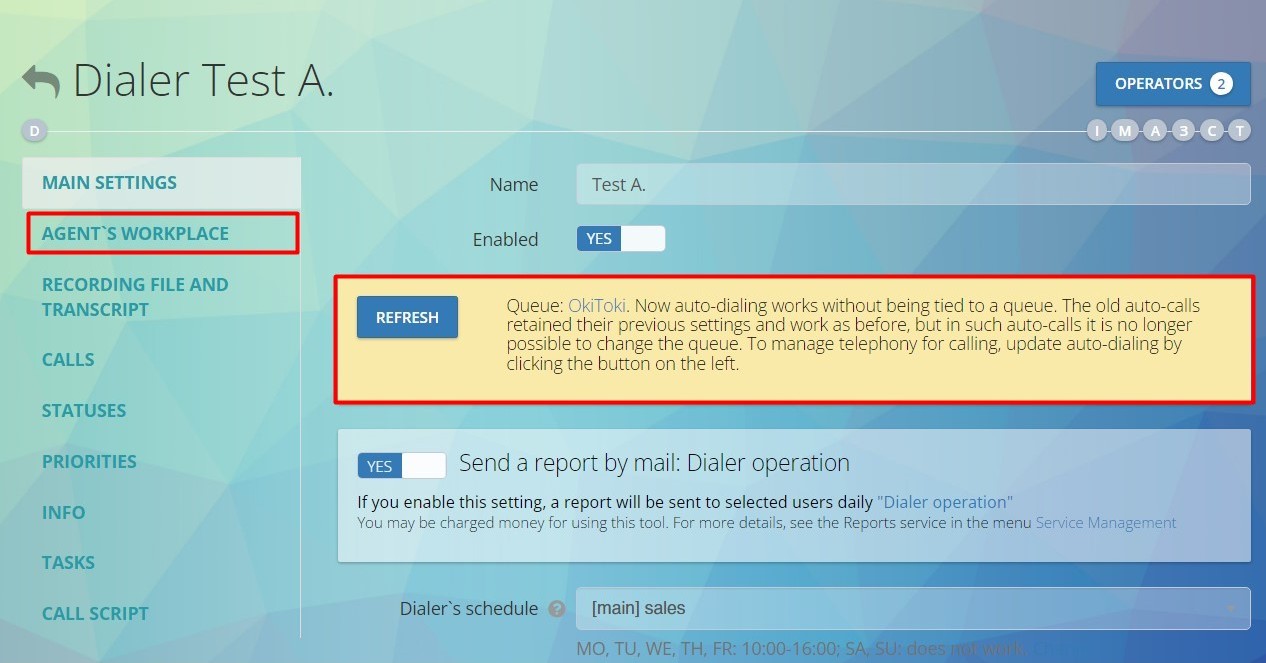
We have removed the link between dialer and the queue – now (finally!) these are two independent tools. Important elements for agents were separately integrated into the dialer from the queue (in the “Agent place” tab). This update was especially liked by companies with voice broadcasting! See more details at youtube.
Entrust your business email and messengers to your agents
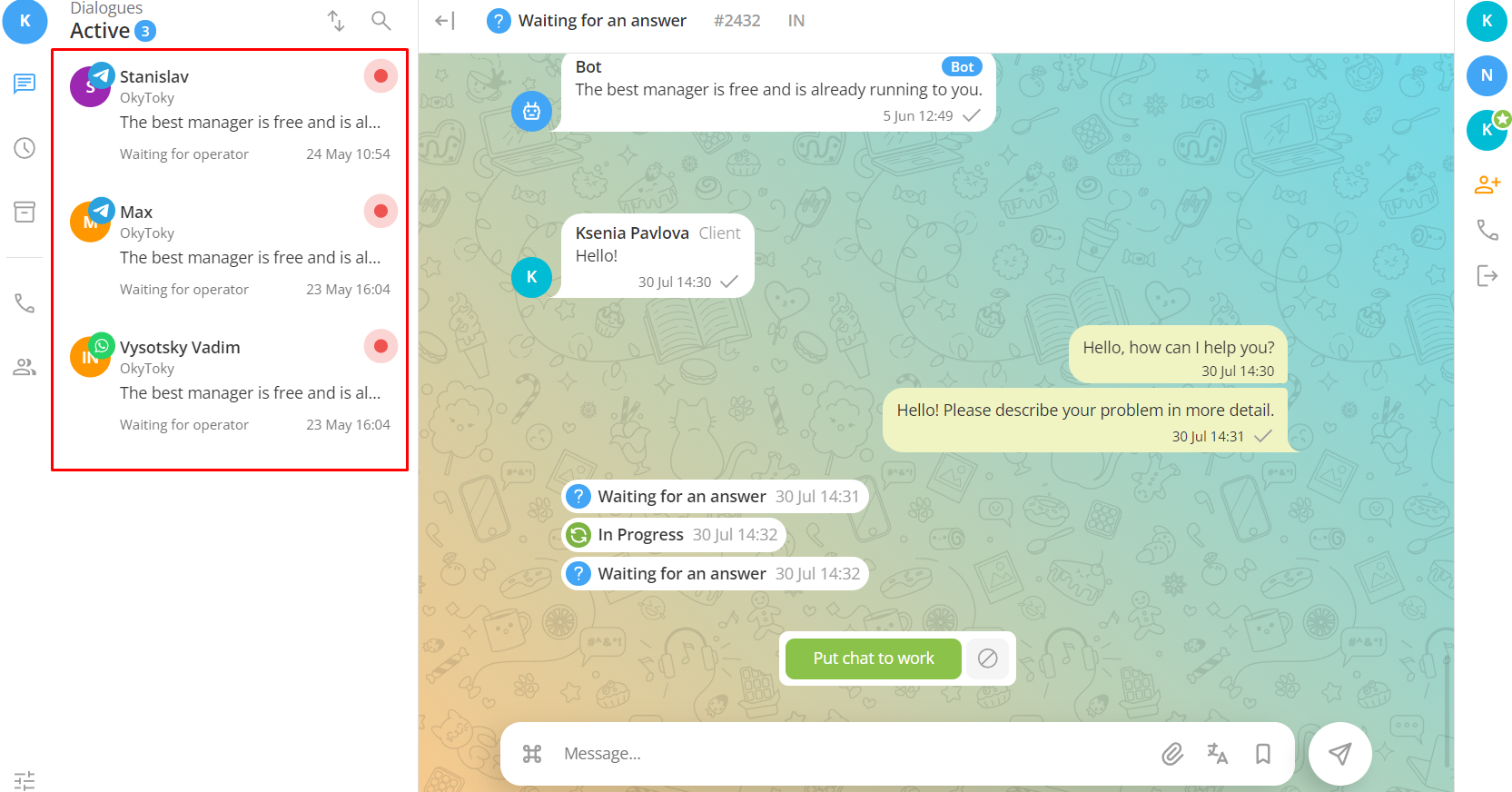
We’ve created an agent’s workstation for processing chats from company messengers.
- Simple integration in a few steps;
- System for distributing chats to responsible parties;
- Linkage with Oki-Toki CRM;
- Supporting KPIs and SLs of managers when working with client chats;
- Broad API support.
Read more in a separate article on the blog, and here is the video presentation.
 Entrust your routine communication with customers to the robot
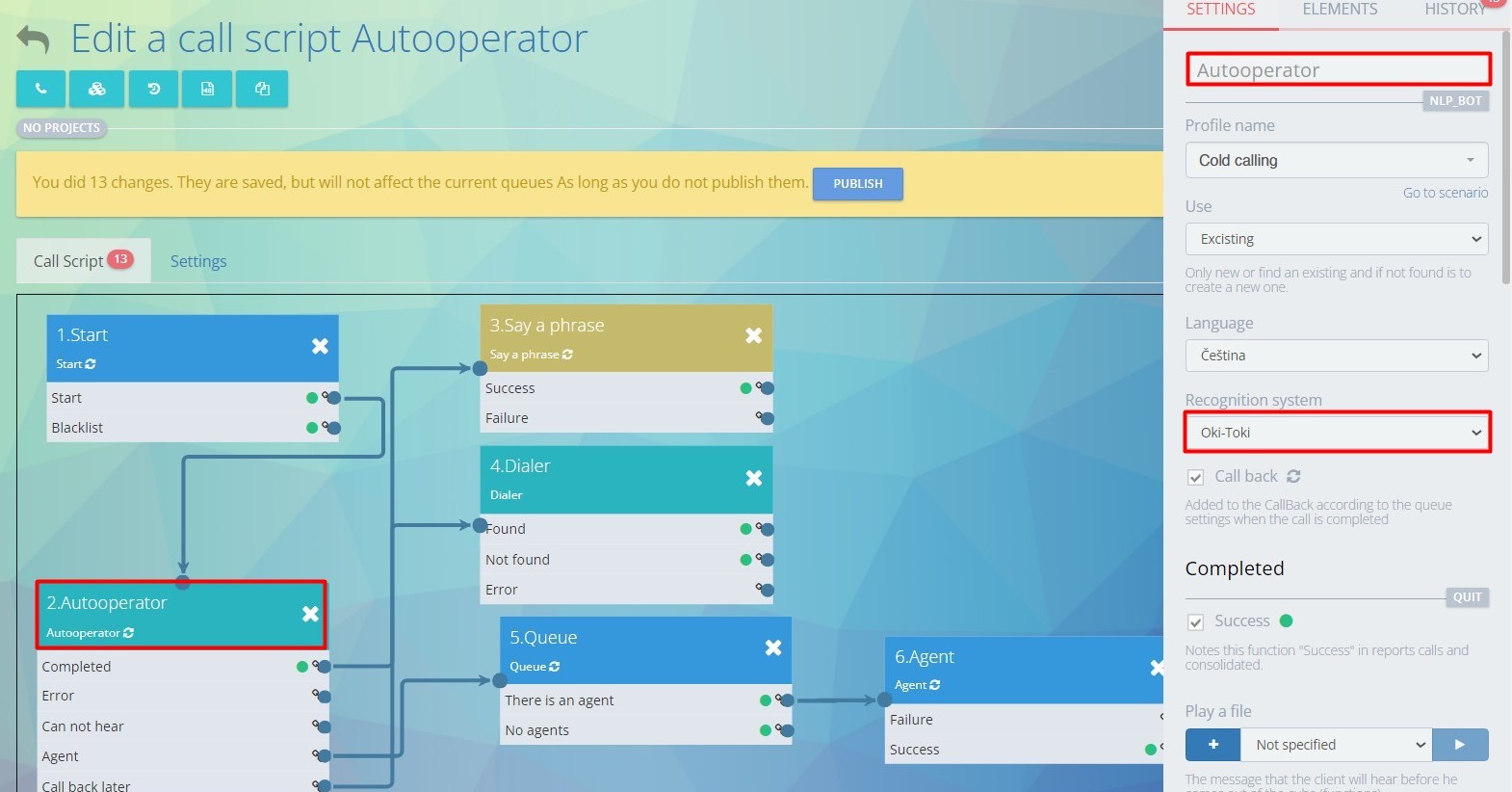
Using speech synthesis and recognition technologies, as well as AI capabilities, we’ve developed a robot who:
- Connects in two clicks in call scripts;
- Multilingual;
- Supports multiple response options;
- Peeks into the FAQ and asks again if it didn’t catch the answer.
Use the service for contact centers in your comfortable language
- Added support for Turkish and Polish in the interface and on the blog;
- Language support is now automated;
- The list of languages will be expanded.
Trust our automation to “clean up the trash” in your company
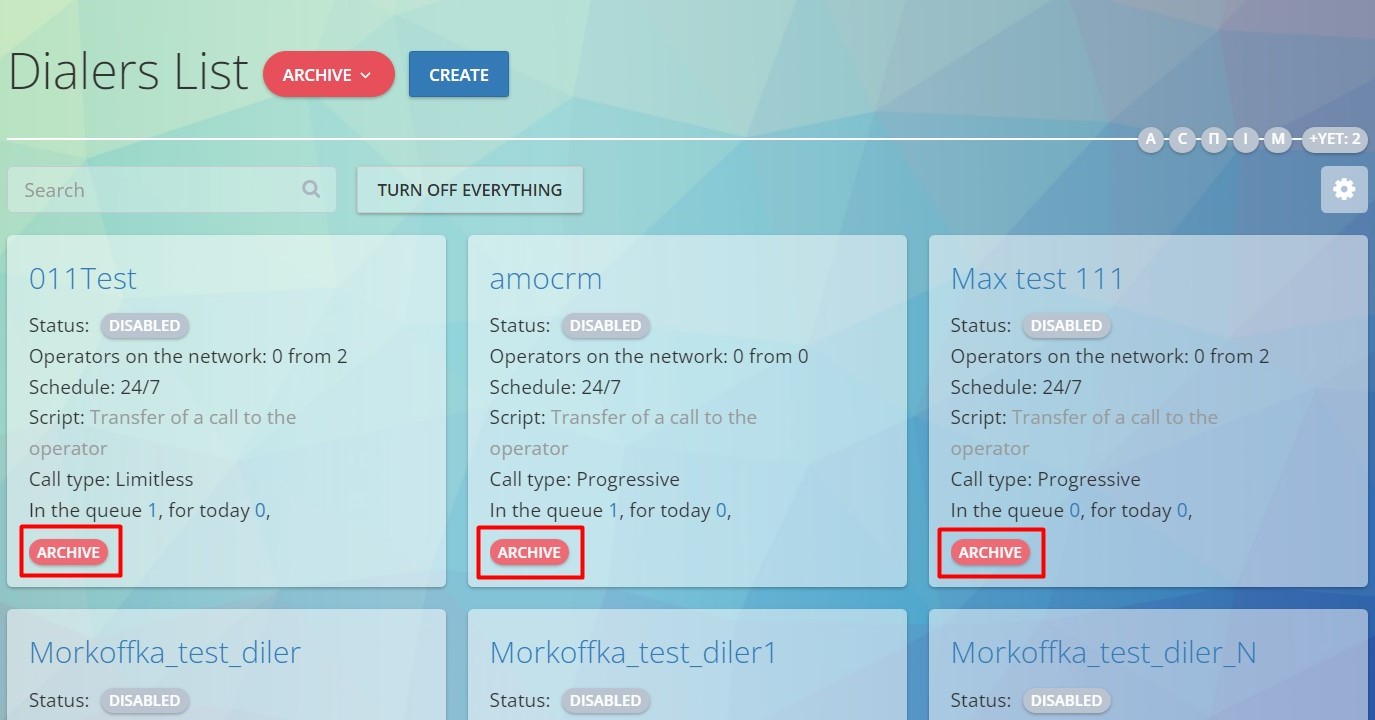
We added a system for auto-archiving outdated objects. If a user, queue, or, for example, an auto dialer of your company hasn’t been used for a long time – the administrator will be offered to add them to the archive, from which, if really necessary, they can be restored. In the company’s settings it is possible to set up the conditions for finding outdated elements.
 Follow us on Telegram: Oki-Toki, CC in the cloud
In spring of this year, Oki-Toki launched its own telegram channel, where we:
- share all important updates in the system;
- announce new articles on the website;
- alert about scheduled tech works and report on service failures.
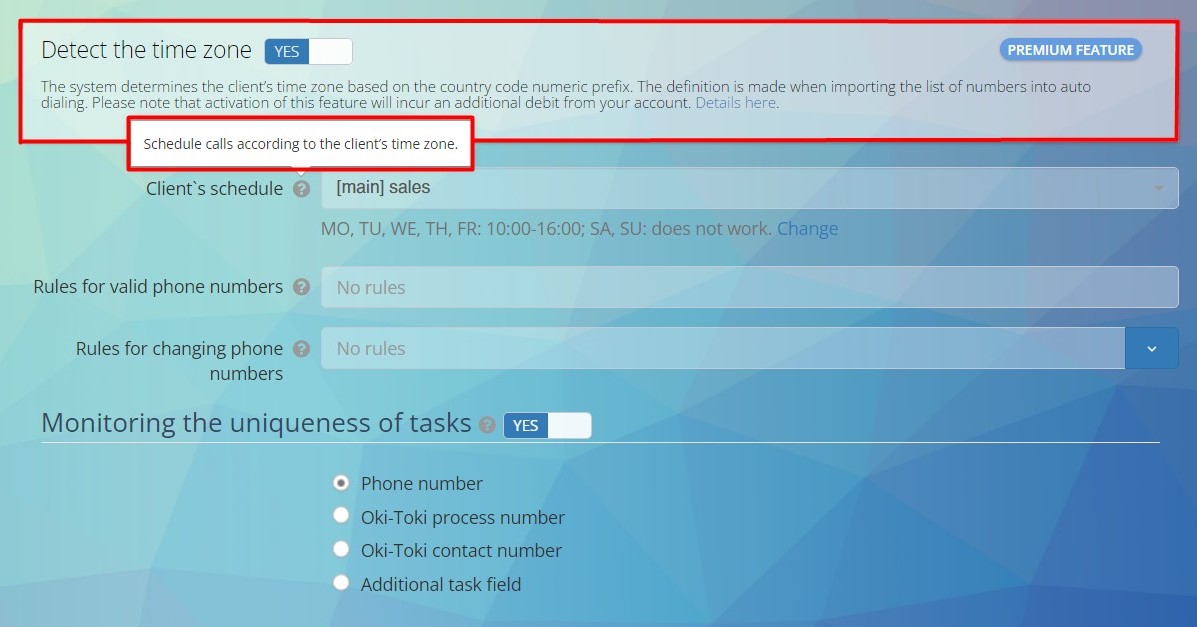
Timezone Definition (WORLD)
Determining time zones by the digital prefix of a phone number now works globall. The subscriber’s timezone is determined when importing into an auto-dialer or when manually calling from an “agent’s position”. This option is usually used in conjunction with the “Customer Schedule” parameter, which limits calls to the client outside of business hours.
Manage call backs at the agent’s position
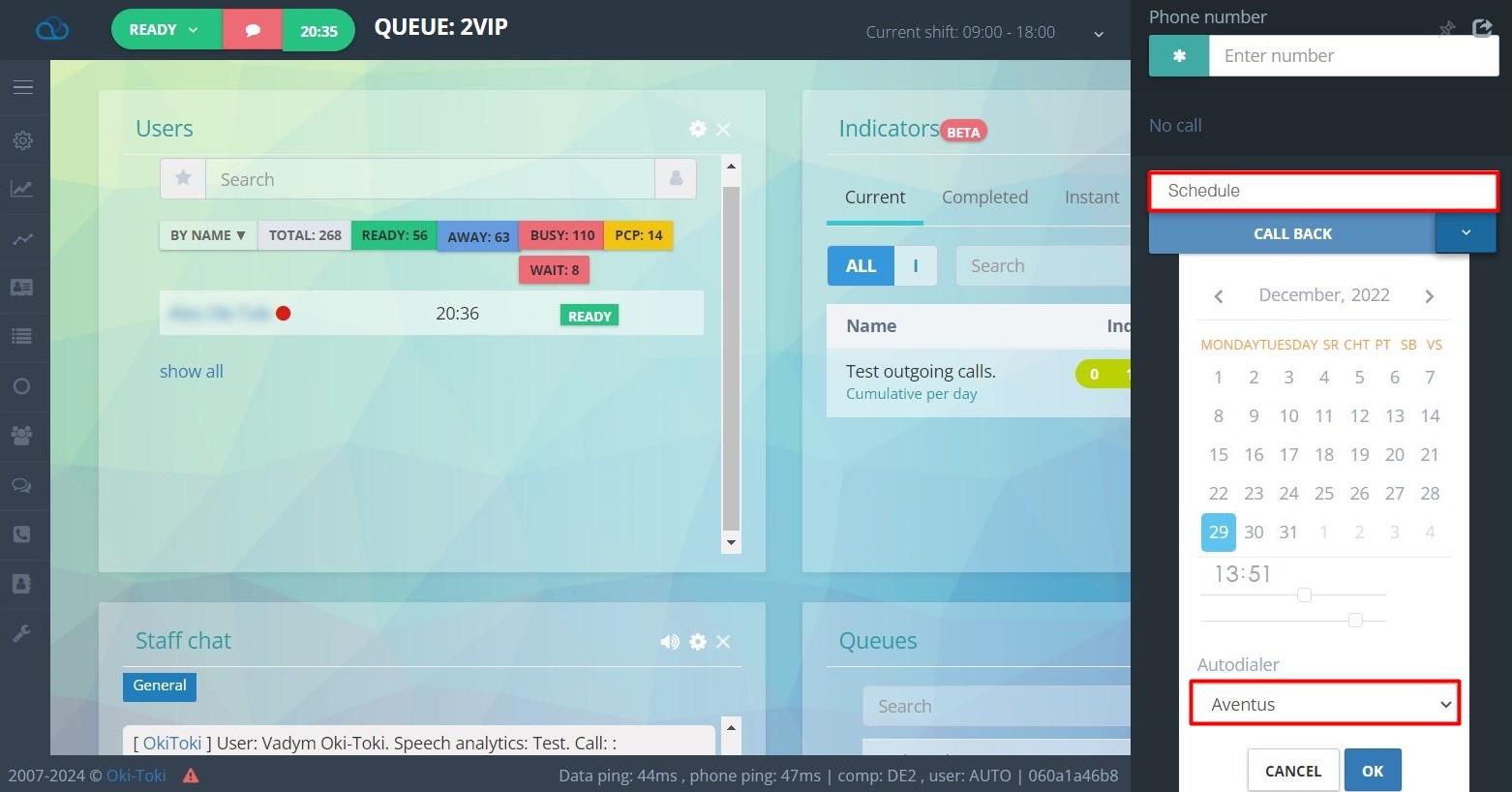
Now, the agent can create a task in the auto dialer from their workstation.
- Added the ability to schedule a call to the auto dialer from call history and for the ‘Task Management’ function.
- Added phone number search in the call history of the workstation
- The notification system has been improved when transferring a task through the ‘Task Management’ function
To schedule a call from history, you need to go into the call details, select ‘Schedule’, specify the date, time of the call, and the auto dialer where the task will be added. The user needs to have a role with access rights to the list of auto dialers.
 Rate the new CRM duplicate system
Checking for duplicate contacts in CRM no longer requires unique field combinations — now it is enough to define the contact field, which our service for contact centers will consider unique, then go to the settings and activate the check.
- When importing contacts into CRM, a hint will show which field is being used to check for duplicates
- No longer will you need to specify unique fields with each import.
- After activation, the examination will be constant, and those contacts that cannot pass the check will be recorded in the import results.
Read more about importing contacts into CRM in a separate article on the blog.
Learning Material
Top-rated library of articles and notes!
In the third quarter, we rewrote and updated over 150 materials on the Oki-Toki blog. Also, all article and note images were updated. Additionally, we have done a full translation of articles (including images) into Ukrainian, Polish, and English. The list of supported languages of our service for contact centers will continue to grow.
New publications
This year, we wrote 25 new articles and notes. Mostly, we have focused on dissecting reports and KPI tools
Videos on YouTube
Our video channel has been enriched by 22 clips and 16 Short’s videos. From step-by-step instructions to presentations of new options. Choose your Shorts playlist
- Shorts – Playlist for Supervisors;
- Shorts – Playlist for Agents;
- Shorts – Playlist for the IT Department.
Bright, but not major updates to the system
Improvements and enhancements to incoming and outgoing line settings
- Added functionality for uploading recordings (either a message or melody) for clients placed on “Hold”;
- Minor improvements to Queue options and related tooltips;
- “Agent evaluation” has been revised and integrated into call scripts (Agent cube);
- Revamped the tool for receiving calls from a website – Webcall (an article on the setting up this feature is planned for January 2023);
- “Blacklist” in queue settings has evolved with more capabilities and has been granted its own section in the “Agent’s Desk” tab.
KPI and SL
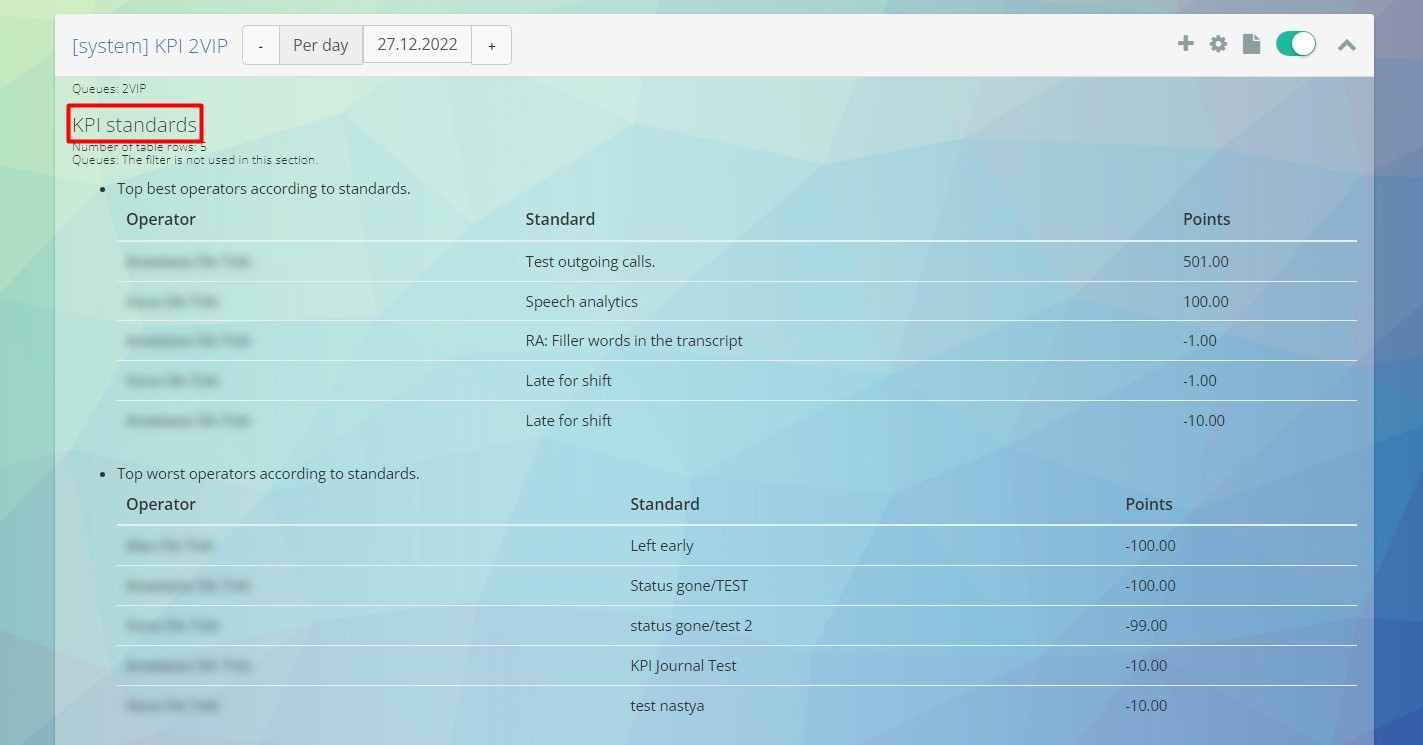
- The “Assessment Sheets” tool for evaluating customer service quality;
- Separate “Reports” for KPI metrics have been developed.
 Reports
- VIP queue in the Call Log report;
- Selection of the necessary columns when exporting from the Call Log
- New call recording player in the Call Log
- The “Call Filter” option has been moved to the call reports;
- We have abandoned the “A/B-Sides” in the call log in favor of the concepts “Customer/Participant”
- Searching for calls with a hidden customer number;
Others
- We have redesigned the login page for the omnichannel agent workplace;
- We have made an adapted calendar format for language versions of the interface;
- Hiding the customer’s number from agents (premium option)
- Now, when scheduling a call for a callback, the agent can use convenient time templates.
Oki-Toki team wishes you more artificial and automated at work, and lively and sincere in life! Happy New Year!
Stas Luchkin