

In an outsourced call center, several projects almost always run in parallel. Inbound lines, outbound dialing, chats, website inquiries, and support for different clients all require agents, the supervisor’s attention, and control.
When there are only a few projects, the workload can still be distributed manually. But as the number of clients grows, manual management quickly starts to break down. One project asks for more coverage on its line, another doesn’t want to lose its agents, a third complains about the queue, and a fourth is waiting for its dialing plan to be completed.
Most often, the conflict doesn’t arise because there are no agents at all. The problem is different: it’s unclear who gets the resource and under what rules. If decisions are made “case by case,” they’re hard to explain to the client, to the agent, and even within the team.
To avoid this, you need to set up distribution rules in advance: which projects are a priority, who can work across multiple projects, where reserve capacity is needed, how peaks are handled, and which metrics to review in reports.
- Split projects by workload type
- Set priorities before peak periods
- Don’t assign agents to only one project
- Set up queues and routing
- Monitor actual workload
- Agree on the rules with clients
- Prepare for peak loads
- How Oki-Toki helps
Split projects by workload type
Not all projects can be handled the same way; they have different logic, speed, and requirements.
For inbound lines, the queue, waiting time, missed calls, and SLA are important; if the customer is already calling, the request can’t just be postponed.
For dialer, the base, number of attempts, dialing pace, schedule, and outcome are important. Here, the workload can be planned more flexibly, but without limits, one campaign can take too many agents away.
For support, response speed and resolution quality are important. This is especially true if requests come not only by phone, but also through chats, email, or messengers.
For complex projects — sales, healthcare, finance, B2B, technical support — you need trained agents. You can’t just put any available person there without training.
For routine tasks — reminders, confirmations, short surveys — part of the workload can be handled through IVR, a voice bot, or a dialer.
This kind of division helps clarify where a permanent team is needed, where reserve capacity can be used, and where part of the work can be better automated.
Set priorities before peak periods
It’s better to define priorities in advance, rather than at the moment the queue has already grown.
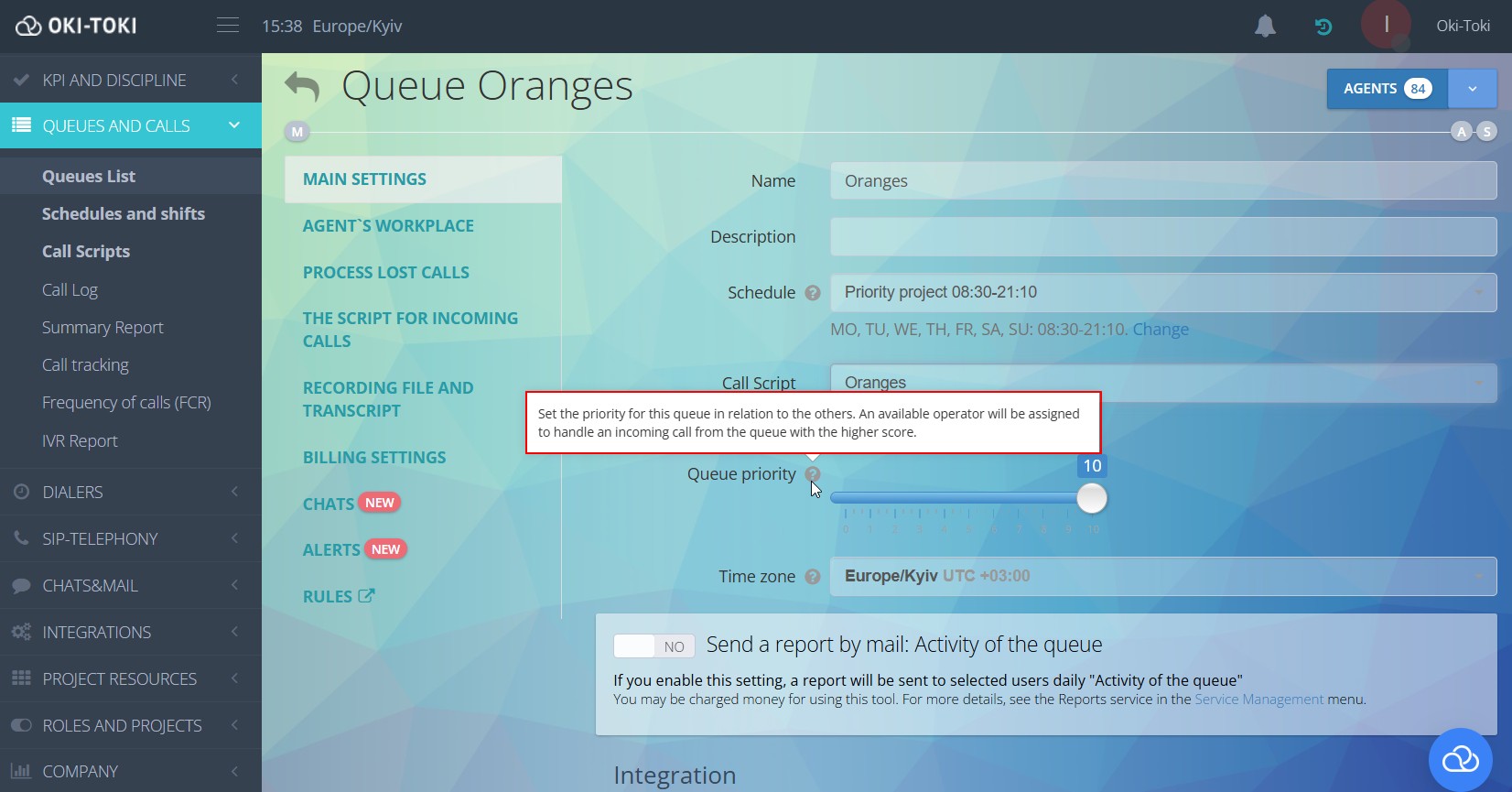
For example, you can give high priority to inbound lines with strict SLA, VIP clients, emergency requests, or projects where a missed call immediately affects the inquiry.
Medium priority — standard support, regular sales, scheduled outbound campaigns.
Low priority — tasks that can be shifted: follow-up attempts, informational dialing, non-urgent surveys.
This doesn’t make some projects “important” and others “unimportant”; it just means that during overload, the system must understand what to process first and what can be postponed.
It’s best to set priorities not only in the policy, but also in the settings: through queues, agent groups, schedules, routing rules, and limits. Then, distribution depends less on the supervisor’s manual decisions.
Don’t assign agents to only one project
A dedicated team is convenient: agents know the project, the client feels more at ease, and quality is easier to control. But if agents are tied to only one project, downtime occurs.
On one project, agents are waiting for calls, while on another the queue is growing at the same time. Agents are available, but they cannot be utilized.
That’s why in outsourcing, agent versatility often helps. But not in the “everyone does everything” sense — it’s better to divide agents into skill groups.
The core group works only on its own project. The reserve group can be connected to several projects. Experienced agents handle complex requests. New agents work with simple scripts. Separate employees can join chats, email, or outbound dialing.
For each project, it should be clear: who is on the core team, who is on reserve, who can be activated during peak hours, and who must not be assigned without training.
In Oki-Toki, this can be configured through user groups, queues, access rights, and scripts. And reports show where the agent actually worked, how long they talked, how long they waited, and how much time was spent on after-call work.
Set up queues and routing
If calls are distributed manually, the system quickly becomes unstable. Today, the supervisor notices a growing queue and brings in more agents. Tomorrow, they might miss it — and the project slips.
Queues and routing help remove part of the manual work. Inbound calls can be routed by project, language, agent skill, client priority, and queue rules.
For example, an agent works on project A as a core resource and on project B as reserve. If the queue on project B grows, they can be brought in. But if project A goes beyond SLA, the agent returns to the main flow.
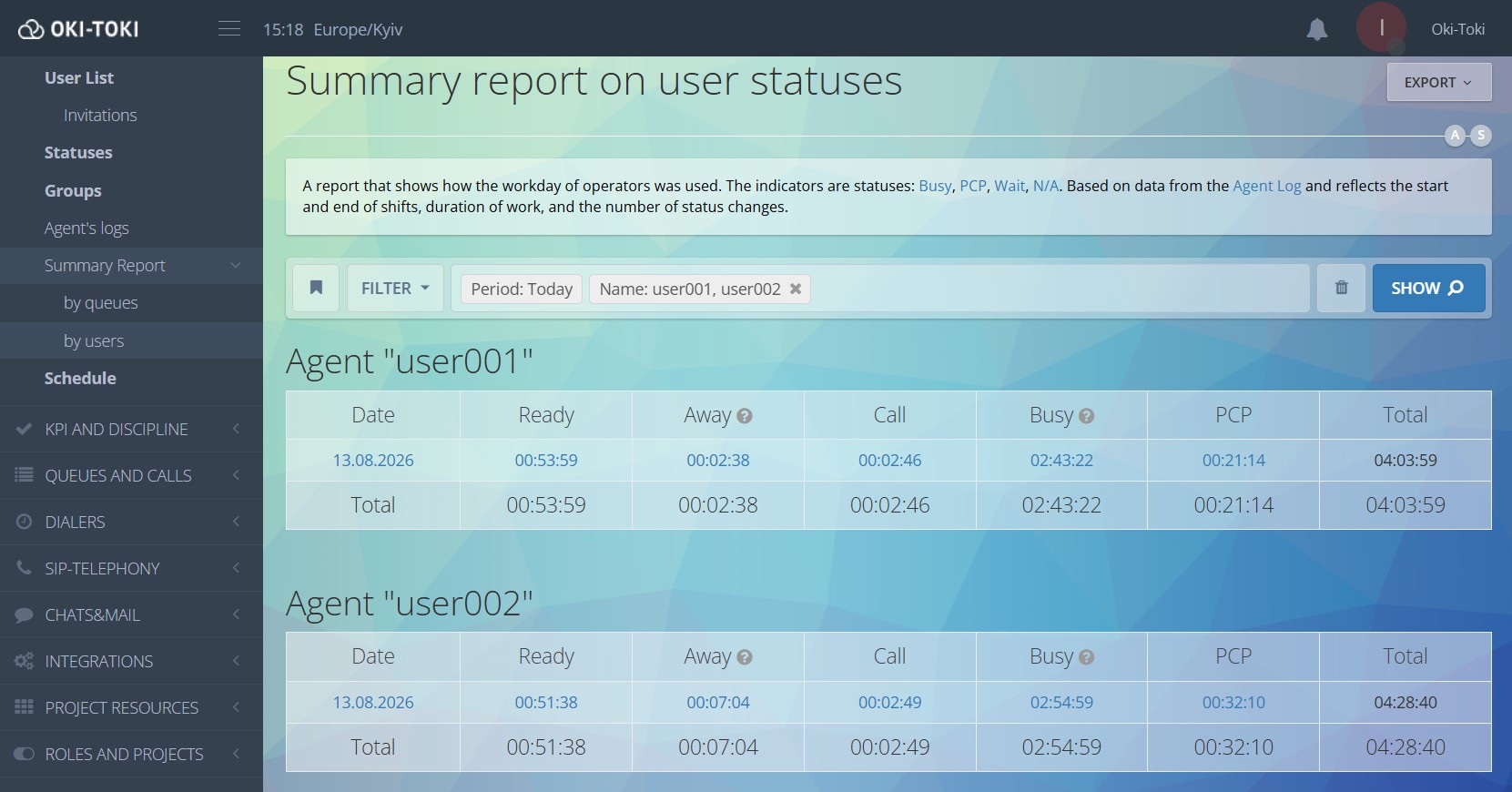
Dialer campaigns also require rules. It’s important to set intensity, schedule, base priority, and retry attempts; otherwise, one campaign can divert agents from other tasks.
For outsourcing, this is critical: one resource serves different clients, and without rules, disputes quickly begin over who got more attention.
Monitor actual workload
The number of agents assigned to a project is not the main metric. What matters is their actual activity during the shift.
Assigning an agent to a project does not yet show their workload. In practice, agents may spend part of their shift covering another queue, engaging in lengthy after-call work, or waiting for calls due to a weak database, telephony issues, or suboptimal dialing settings.
That’s why you need to look at:
- how much time the agent spent in conversations;
- how long they waited for interactions;
- how much time after-call work consumed;
- how many calls the agent handled;
- what percentage of calls was missed;
- where the queue was growing;
- which projects were idle.
Sometimes a client requests more agents, but reports show that the current team spent part of the shift waiting for calls. In such cases, the problem may not be a lack of personnel at all, but rather with issues related to the database, telephony, schedule, or dialer settings.
Sometimes the opposite happens: according to the schedule, there are enough agents, but conversations are long, after-call work takes a lot of time, and the queue still grows. Then, it is necessary to adjust the workload norm or bring in reserve capacity.
In Oki-Toki, such situations can be tracked through call reports, user reports, queue reports, and status reports. This helps you make decisions based on data, not intuition.
Agree on the rules with clients
Some conflicts arise because expectations differ. The client may believe the team is dedicated, while the call center utilizes agents as a shared resource. Conversely, the client might understand that the team is shared but still expect priority handling at any moment.
It is advisable to discuss this in advance.
Agreements should specify not only the number of agents but also key operating parameters: service hours, SLA, target response time, acceptable peak loads, request priority, and reporting format.
If the team is dedicated, you need to clarify whether it can be assigned to other tasks. If the team is shared, explain the rules for distributing the workload.
Reports help here more than verbal explanations; the client sees how many calls there were, how many were answered, how many were missed, how long agents waited, what the completion reasons were, and how the team performed.
When there are numbers, the conversation becomes calmer and more concrete.
Prepare for peak loads
Peak loads will always happen: after a mailing, an ad campaign, seasonal growth, technical issues, or a sudden influx of requests. What matters is knowing what to do in advance.
You need thresholds for queue size and waiting time. For example, when the limit is exceeded, the supervisor should recognize the need for reserve capacity.
You need reserve agent groups. These should not be vague ‘someone will help’ promises, but specific, trained individuals ready to join.
You need rules for less urgent tasks. For example, when an inbound queue becomes overloaded, you can reduce the intensity of outbound dialing or postpone some non-urgent tasks.
After the peak, you need to review what happened: when the growth started, how long it lasted, whether the reserve capacity was sufficient, which projects experienced service degradation, and what should be changed in the schedule or settings. Without such a review, the same problem will keep repeating.
How Oki-Toki helps
In Oki-Toki, you can set up the work of multiple projects so that they don’t rely solely on manual management.
For inbound projects, there are queues, call scripts, agent groups, routing, and reports.
For dialing large volumes of contacts, Oki-Toki offers a dialer, database management, dialing attempts, schedules, and call outcomes. This functionality makes it easier to control campaign intensity and avoid overloading agents.
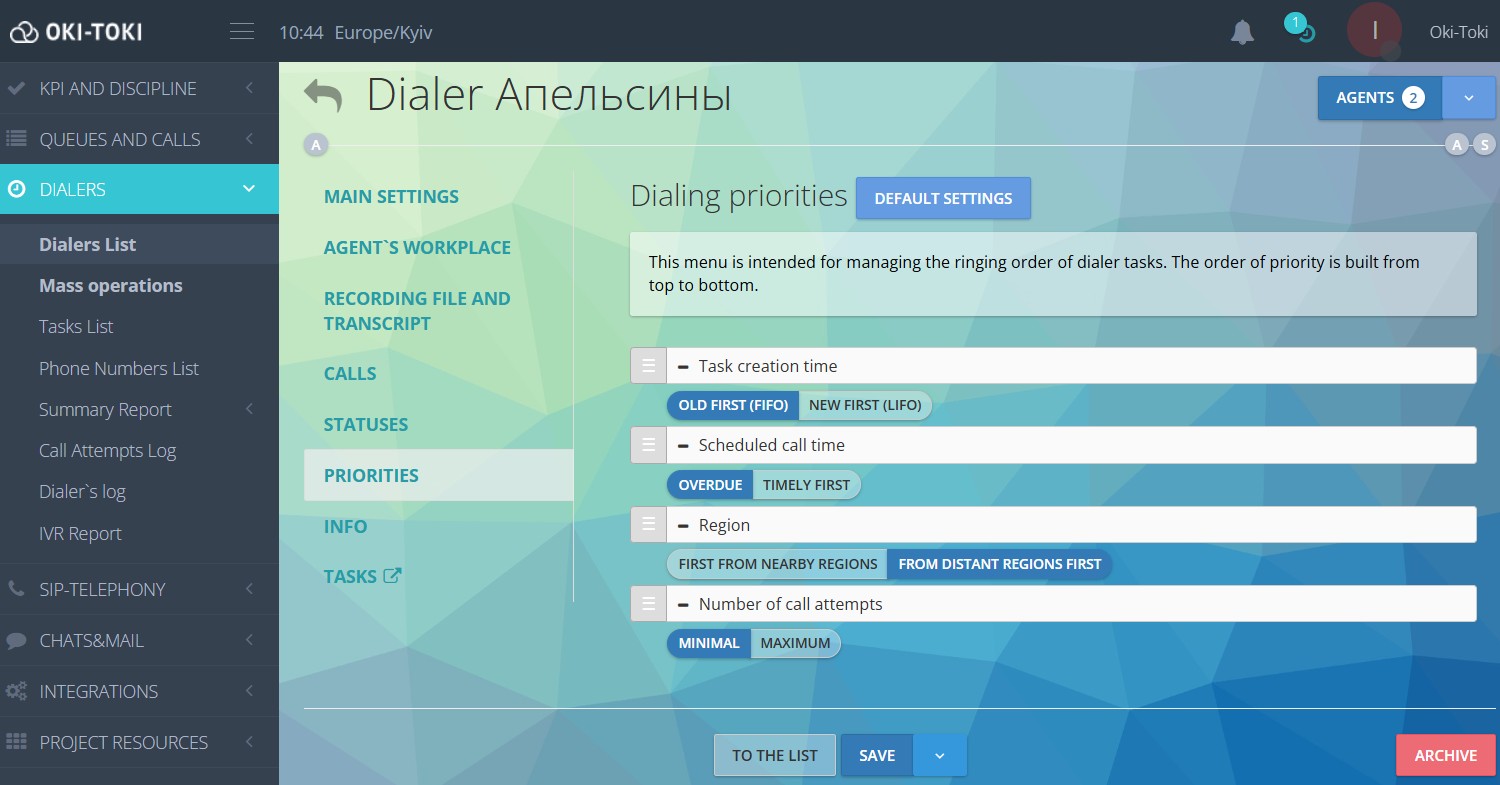
For a supervisor, reports and widgets are important: workload by project, agent activity, missed calls, statuses, average waiting time, and after-call work.
If agents are switched between projects, monitoring conversation quality is also important. Recordings, forms, evaluations, and speech analytics help identify mistakes and train the team.
Oki-Toki helps you assess quality based on facts, not feelings. This is especially important for outsourcing, where there are multiple projects and diverse clients, requiring careful distribution of team resources.
Submit a request on our website — we’ll discuss your tasks and advise on the best way to organize everything.
Summary
Workload distribution across projects is not just an agent schedule. It involves rules, priorities, queues, skills, reports, and agreements with clients.
To reduce conflicts, you should:
- segment projects by workload type;
- set priorities;
- configure routing;
- prepare reserve capacity/resources;
- monitor actual workload;
- provide clients with clear reports.
This makes it easier to identify where there is a shortage of agents, where the issue lies with the settings, where quality is slipping, or where the project has simply hit a peak.
When decisions are based on data, there are fewer disputes. The supervisor sees the current workload, the manager understands resource distribution, the client receives reporting, and the team works more calmly without wasting time on unnecessary coordination.