

The growth of a call center to 100 agents starts with setting up processes. What can be controlled manually in a small team no longer works with 50-100 agents: queues grow, agents get overloaded, and the supervisor cannot keep up with the situation.
That is why, as the team grows, it is important to set up routing, agent groups, statuses, schedules, quality control, and reports in advance. Otherwise, headcount growth will not lead to greater efficiency, but to new mistakes and extra workload.
In this article, we will explain how to prepare a call center for scaling to 100 agents and what needs to be configured so the team can work without unnecessary chaos.
-
Check the processes before hiring
-
Measure hourly workload, not just by headcount
-
Divide agents by roles and skills
-
Scale supervisors along with agents
-
Set up queues, statuses, and switching rules
-
Automate outbound projects
-
Set up systematic quality control
-
Check equipment, access, and integrations
-
How Oki-Toki helps
Check the processes before hiring
Before expansion, you need to understand which processes are already ready for growth and which still depend on manual control.
It is worth checking the following:
- how incoming calls are distributed;
- who works on outbound projects;
- which queues and priorities are configured;
- how agents use statuses;
- how long the conversation and post-call work take
- where calls are being lost;
- how quickly the supervisor sees overload;
- who is responsible for setup, training, and quality;
- which reports the manager and client receive.
If an agent chooses tasks on their own and the supervisor manually decides who to switch where, errors will start appearing as the operation scales. One project will get more attention, another will lose calls, and a third will be waiting for a report that cannot be generated quickly.
Before growth, you need to define the basic rules: which projects are a priority, where backup is needed, who can work on multiple lines, which agents are allowed to handle complex inquiries, when the dialer intensity changes, and which metrics are considered critical.
The policy does not need to be long. But the rules should be clear to the manager, supervisor, agent, and client.
Measure hourly workload, not just by headcount
A common scaling mistake is counting only the number of agents on a shift. For example, “we need 100 agents” sounds clear, but on its own it does not show anything. You need to look at workload by hour, by project, and by channel.
For inbound lines, what matters is the number of inquiries, average talk time, waiting time, missed-call rate, SL/SLA, peak intervals, and post-call work. If the queue is almost empty in the morning but steadily grows after lunch, the same number of agents throughout the day will not resolve the problem.
For projects using a dialer, you need to look at the database, dialing pace, number of attempts, conversion to a conversation, call duration, calling schedule, and agent availability. If the database is weak or there are many telephony errors, adding more agents will hardly change the result.
For chats, email, and messengers, the key metrics are response speed, the number of active dialogs per agent, first response time, and resolution time. These channels cannot be measured the same way as calls: an agent can handle several chats at once, but cannot speak with multiple customers simultaneously on the phone.
That is why planning is better structured not around the total number of employees, but around workload: how many inquiries come in, at what hours, how long processing takes, and what service level needs to be maintained.
Divide agents by roles and skills
At 100 agents, you cannot assume that “everyone does everything.” This setup quickly lowers quality: a beginner ends up on a complex project, a strong agent gets stuck with simple tasks, and backup staff are sent to a queue where they do not know the script.
It is better to divide the team in advance into:
- primary project agents;
- backup agents;
- agents for inbound lines;
- agents for the dialer;
- agents for complex inquiries;
- new hires on simple scripts;
- senior agents or mentors;
- agents for chats and email.
This makes workload management much easier. If the queue grows on an inbound line, you can bring in trained backup staff; if the dialer is not yielding good contact rates, agents can be temporarily moved to other tasks. If a project requires experience, a random available employee will not be assigned to it.
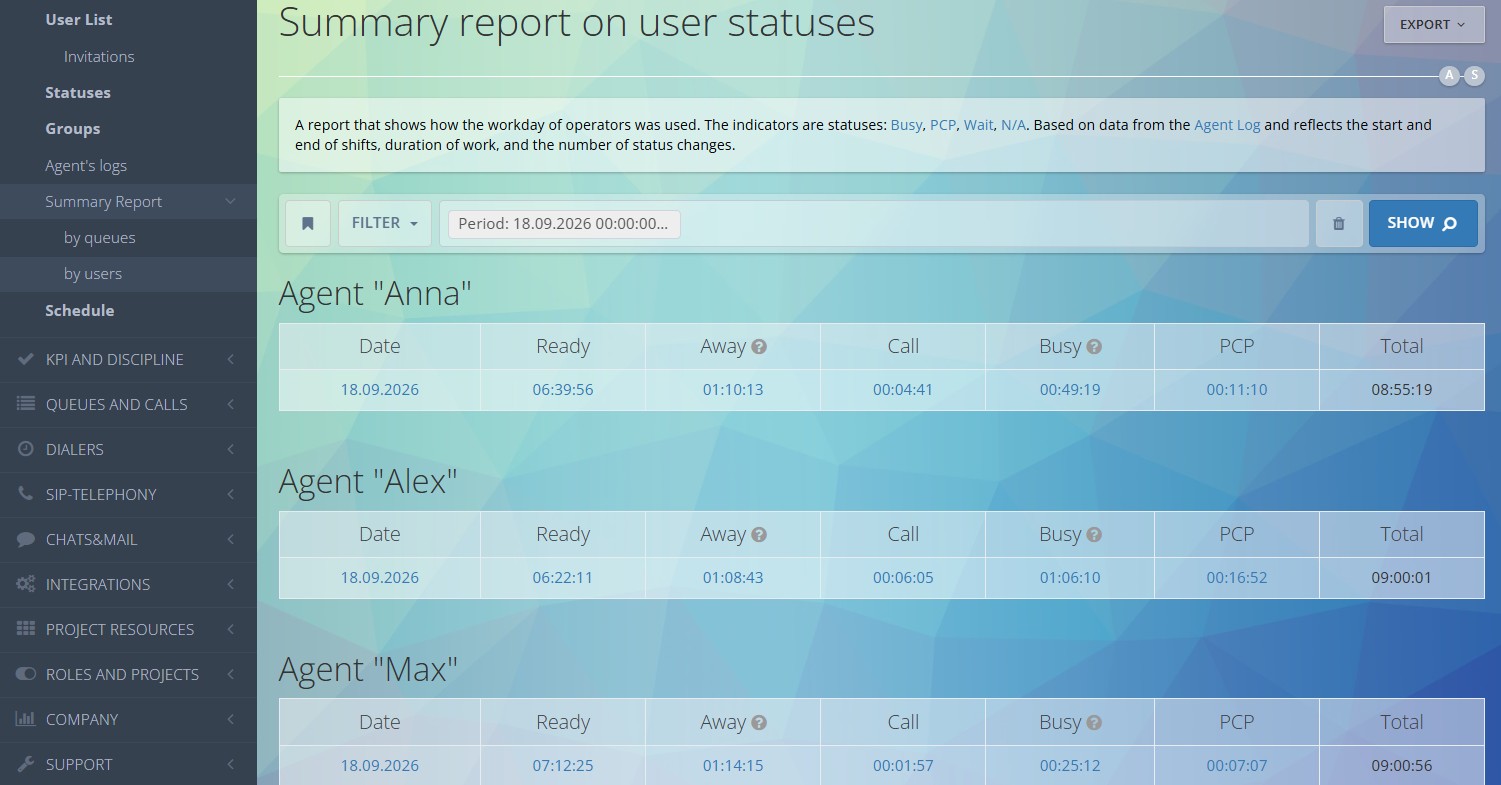
In Oki-Toki, this can be configured through user groups, queues, access permissions, scripts, and roles. Reports show where an agent actually worked, how much time they spent talking, how long they waited, how long they spent in post-call work, and which statuses they used.
Scale supervisors along with agents
When a team grows, companies often increase only the number of agents. There was one supervisor for 20 people, then there were 60 agents and still only one supervisor. Formally, the team grew, but management stayed the same.
At 100 agents, you need separate areas of responsibility. One supervisor may handle inbound support, another outbound campaigns, a third the evening shift or a specific client. It is important that each supervisor understands their area: queue, agents, quality, statuses, violations, reports.
The supervisor should see the big picture throughout the shift: where the queue is growing, who is spending too long in post-call work, who is taking breaks too often, which projects are slowing down, and where backup needs to be brought in. If they have to look for this information manually across several reports, their response will be delayed.
The manager also needs consolidated metrics: workload by project, agent performance, missed calls, SL, discipline, conversation quality, and dialer target attainment. Without this data, it is difficult to understand whether the team is really overloaded or whether the problem is in the setup, database, schedule, or telephony.
Set up queues, statuses, and switching rules
Queues are the foundation of a large call center’s operation. Incoming calls should be distributed according to clear rules: project, language, agent group, customer priority, employee availability, schedule, waiting time.
If a project is important, you can assign it to a separate group or priority. When there are VIP customers, their inquiries can be routed differently. If part of the team works as backup, you need to define in advance when they are brought in: when the queue grows, when waiting time increases, or based on a supervisor’s decision.
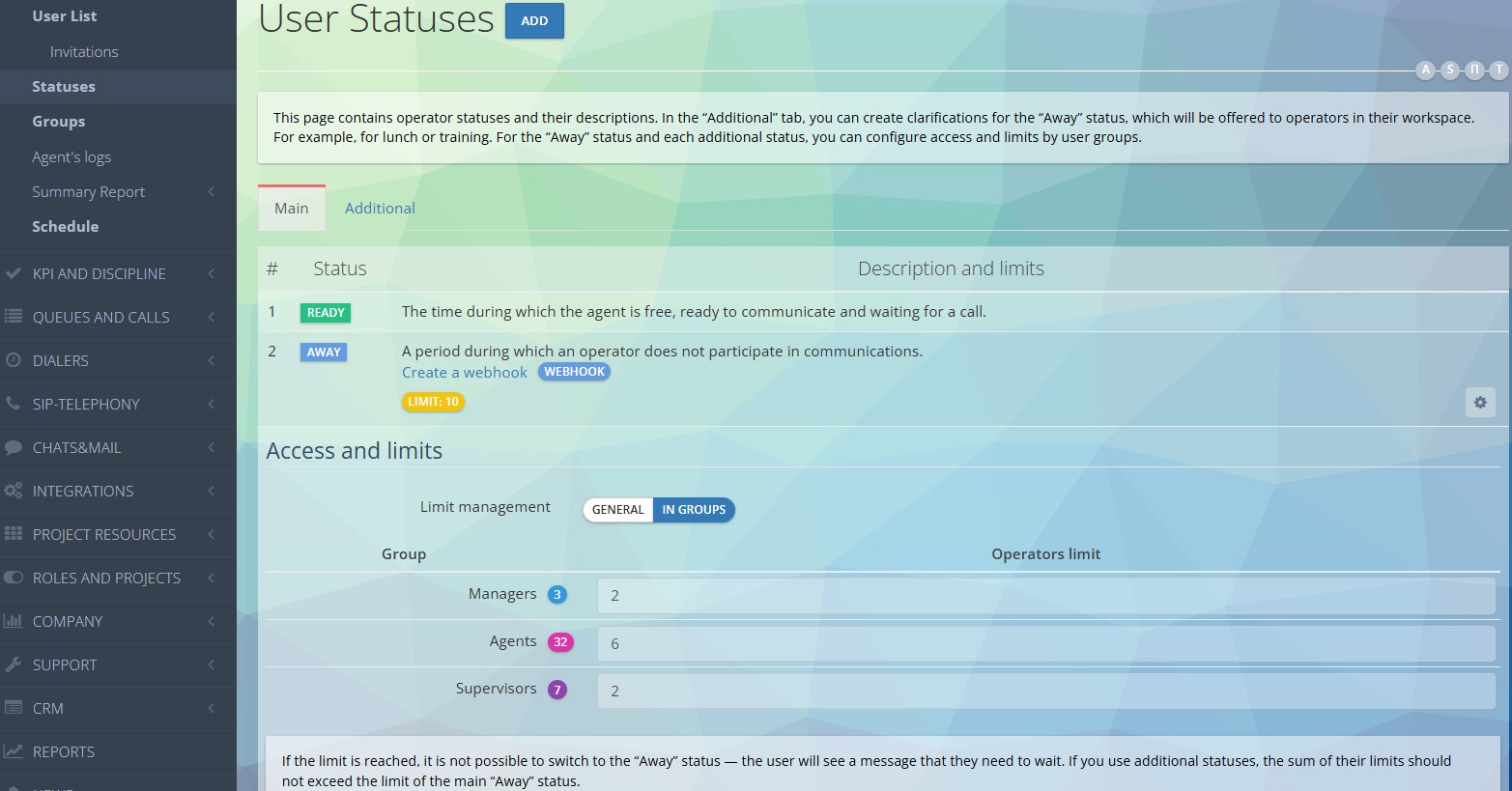
Statuses help you see real availability. An agent may be in the system but not taking calls: on lunch, in training, in post-call work, on a technical pause, or on a break. At 100 agents, this data is needed not for formal control, but to manage the shift.
For example, if many employees simultaneously switch to the “Away” status, the line may slow down. If an agent stays in post-call work for too long, group availability drops. If customers are often waiting, the issue may not be staffing, but the configuration.
Automate outbound projects
With a large team, manual dialing quickly consumes working time. An agent listens to ringing tones, reaches voicemail, encounters dropped calls, fails to connect, and spends the shift not on conversations, but on connection attempts.
For outbound projects, it is better to use a dialer. It helps manage the database, attempts, schedule, pacing, and dialing results. The agent joins the conversation when a connection is established, rather than manually dialing each number.
But the dialer also needs to be configured carefully. If you set the intensity too high, you can overload agents. If you do not take the schedule into account, some calls will go out at the wrong time. And if telephony errors are not monitored, the campaign may perform poorly even though agents are active.
That is why each outbound project needs rules: how many attempts to make, when to call back, which statuses count as a result, when to pause the database, and how to distribute agents across campaigns.
Set up systematic quality control
With 100 agents, a manager cannot manually listen to every conversation. But without quality control, mistakes will pile up: someone ends a conversation incorrectly, someone does not ask the necessary questions, someone does not follow the script, and in some cases, customers keep complaining about the same pain point.
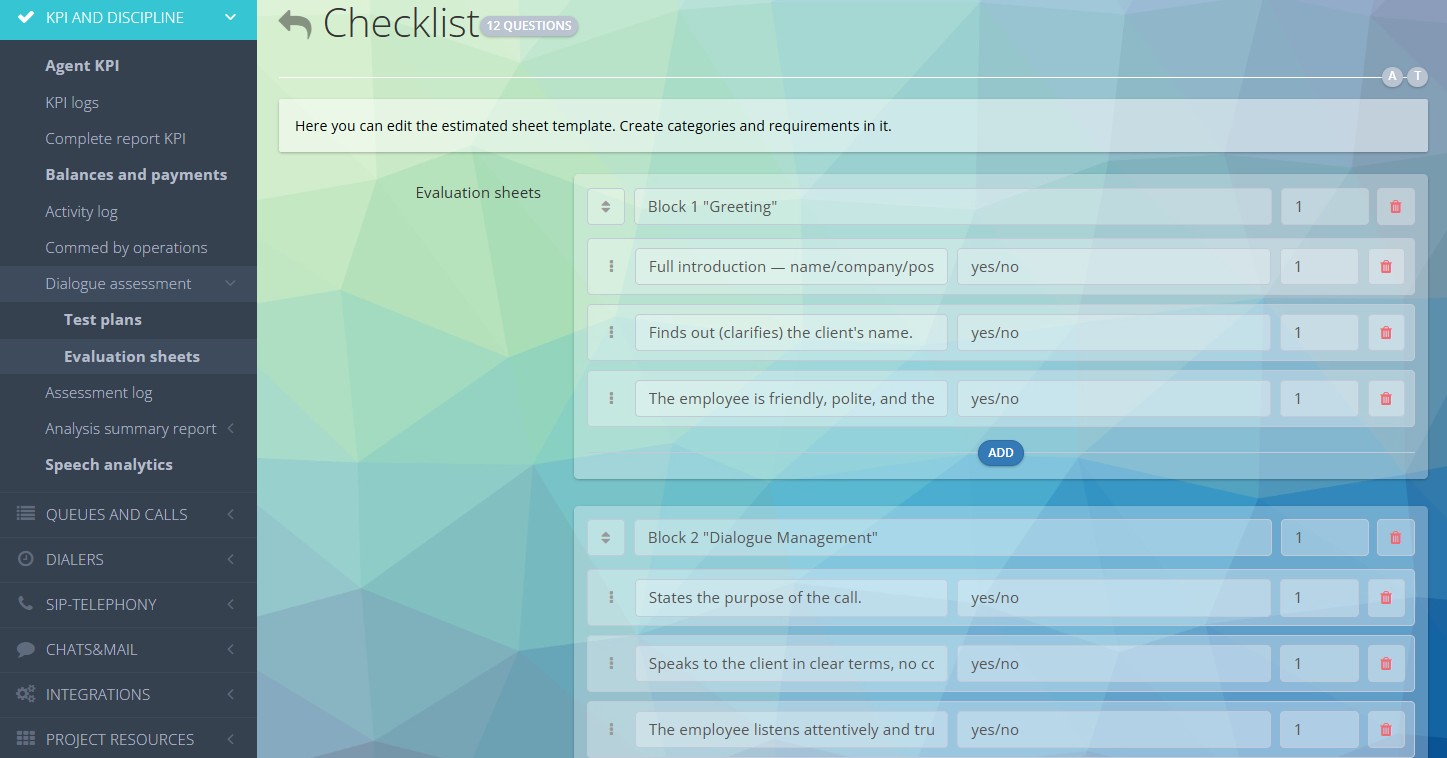
You need call recordings, evaluation forms, checklists, sample audits, analysis of typical mistakes, and training based on control results. If speech analytics is enabled, you can find problematic calls and repeated violations faster.
Quality control should be tied to training. If one agent makes a mistake, you can review the conversation with them. If the same mistake is repeated by a group, you need to change the briefing, the script, the knowledge base, or the inquiry handling rules.
Check equipment, access, and integrations
Growth to 100 agents increases the load on telephony, CRM, scripts, integrations, and reports. What is tolerable in a small team becomes a problem in a larger one.
Before scaling, it is worth checking SIP providers, numbers, routes, queues, call scripts, user permissions, roles, groups, project access, error notifications, and integrations with external systems.
If an agent manually transfers data to the CRM after a call, fills out a spreadsheet, and writes a message in chat, at 100 agents this will create many errors and waste a lot of time. Data should be transferred automatically: from the call to the customer card, from the form to the CRM, and from the conversation result to the report.
The less manual copying there is, the easier it is to control operations and resolve disputes.
How Oki-Toki helps
In Oki-Toki, you can set up the main processes for a growing call center: inbound lines, dialer, queues, call scripts, agent groups, statuses, roles, reports, quality control, and integrations.
The supervisor sees workload by queue and agent, the manager gets reports by project, and the client can monitor key metrics: how many inquiries there were, how many were handled, how many were missed, what the waiting time was, and how the team performed.
For outbound projects, you can manage the dialer, attempts, schedule, databases, and dialing results. For inbound operations, you can configure queues, routing, priorities, and agent groups. And for quality control, you can use recordings, forms, evaluations, and analytics.
Oki-Toki does not replace team management, but it helps remove manual actions where they hinder growth: in call distribution, reporting, status control, database management, and quality checks.
Summary
Scaling a call center to 100 agents is about setting up processes, not just expanding headcount. You need to measure hourly workload, divide agents by skill, strengthen supervisors, set up queues, control statuses, automate the dialer, and review reports regularly.
This makes it easier to understand where there is a true shortage of staff, where the problem is in the schedule, where telephony is underperforming, where the database is weak, and where the script or training needs to be changed.
When processes are documented and configured in the system, team growth does not turn into constant manual approvals. Agents work by clear rules, supervisors see the workload, managers control resources, and clients receive transparent reporting.